01
Start here. Pick up anywhere.
Create a bundle project, save your work and reopen it when you’re ready to carry on. Imported originals are copied into the project.
Bundle King
From a folder full of documents to one considered bundle.
Create, organise and export — with everything in its place.
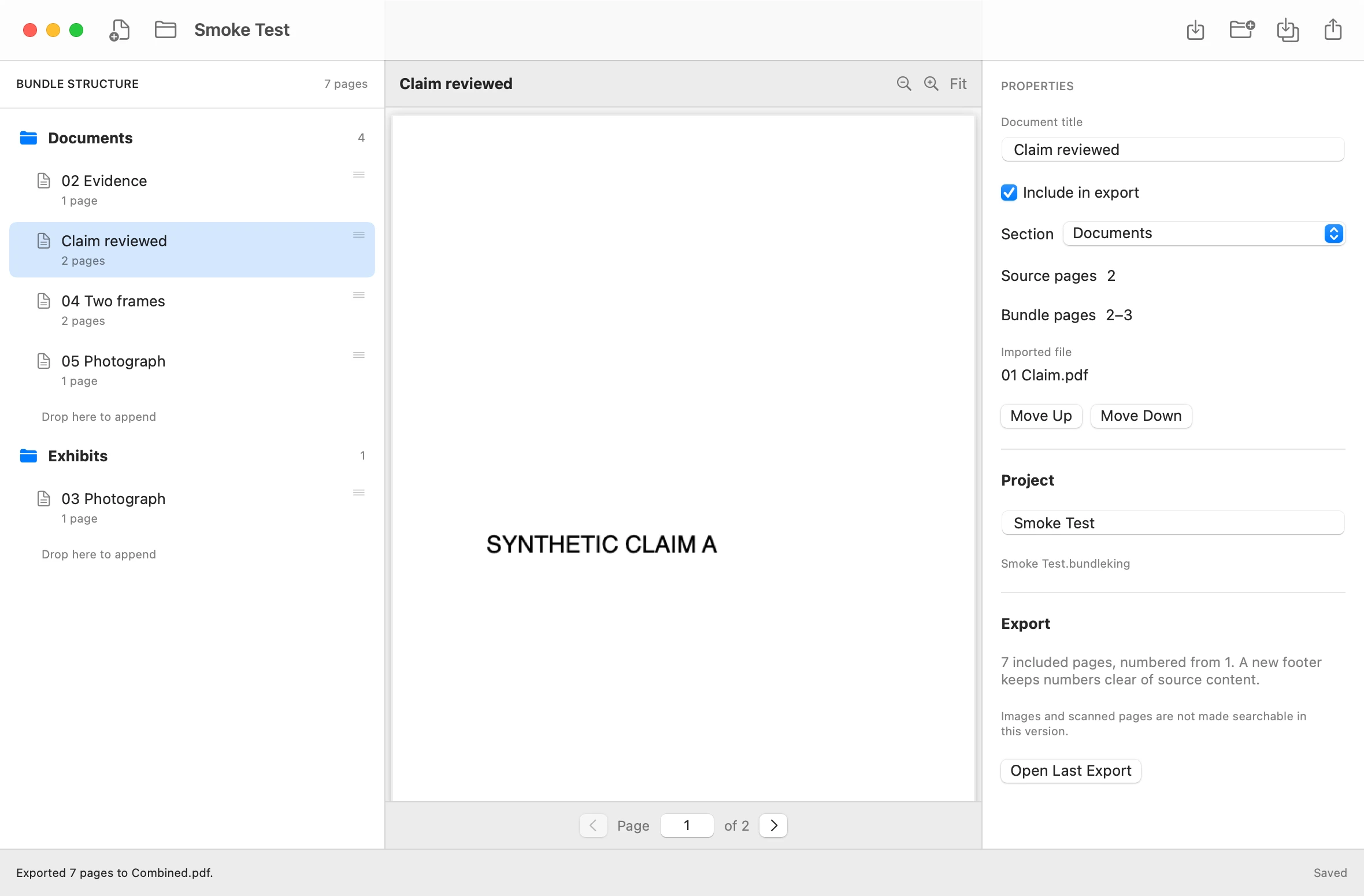
Actual development build · Synthetic sample documents
The tools you need,
right where you need them.
Create a bundle project, save your work and reopen it when you’re ready to carry on. Imported originals are copied into the project.
Import PDF documents and JPEG, PNG or TIFF images into one project. Keep the material for your bundle in one place.
Organise documents into named sections and subsections. A clear outline keeps the shape of your bundle in view.
Drag documents into position or use Move Up and Move Down. Move a document to another section as your bundle takes shape.
Preview PDF pages, move through documents and zoom in on the details, without leaving the workspace.
Export a combined PDF with continuous page numbering. Add a linked index, bookmarks, a cover and section dividers when you need them.
Your structure. Your preview.
Your details. One workspace.
Start a project and import your PDFs and images.
Create sections, move documents and check each page.
Export a single PDF with continuous page numbering.
Real app. Real output.
Select an image to explore.
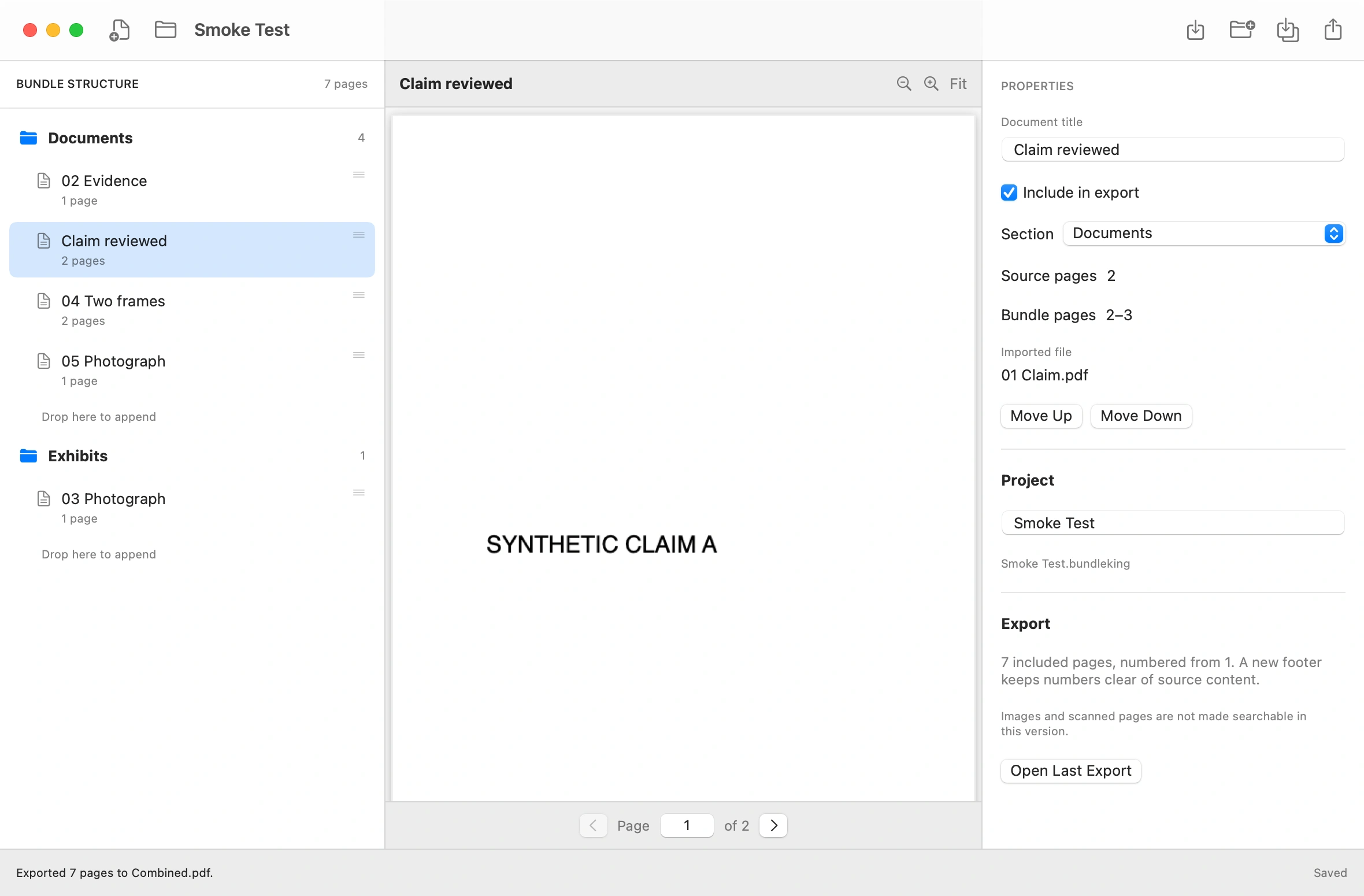
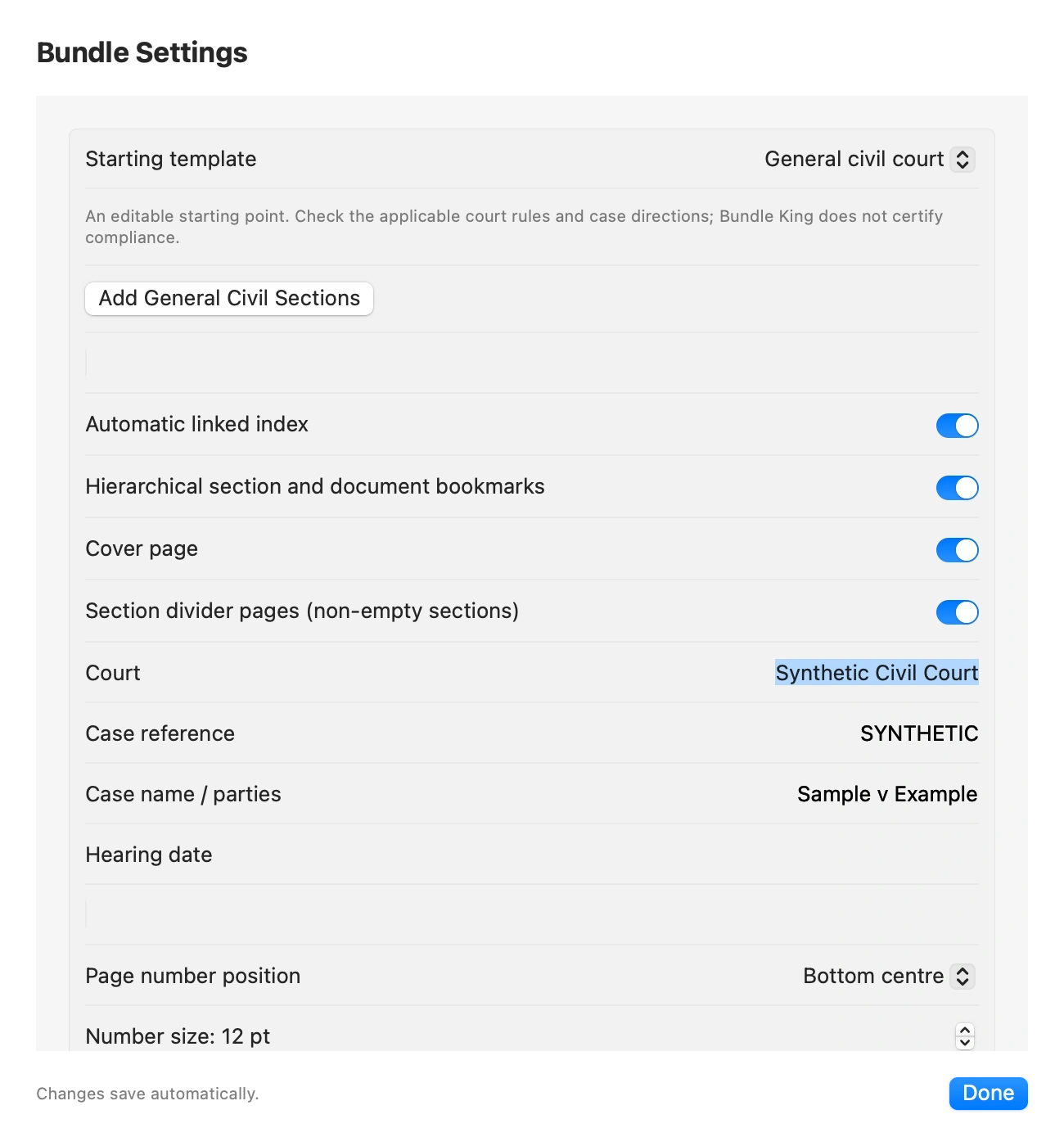
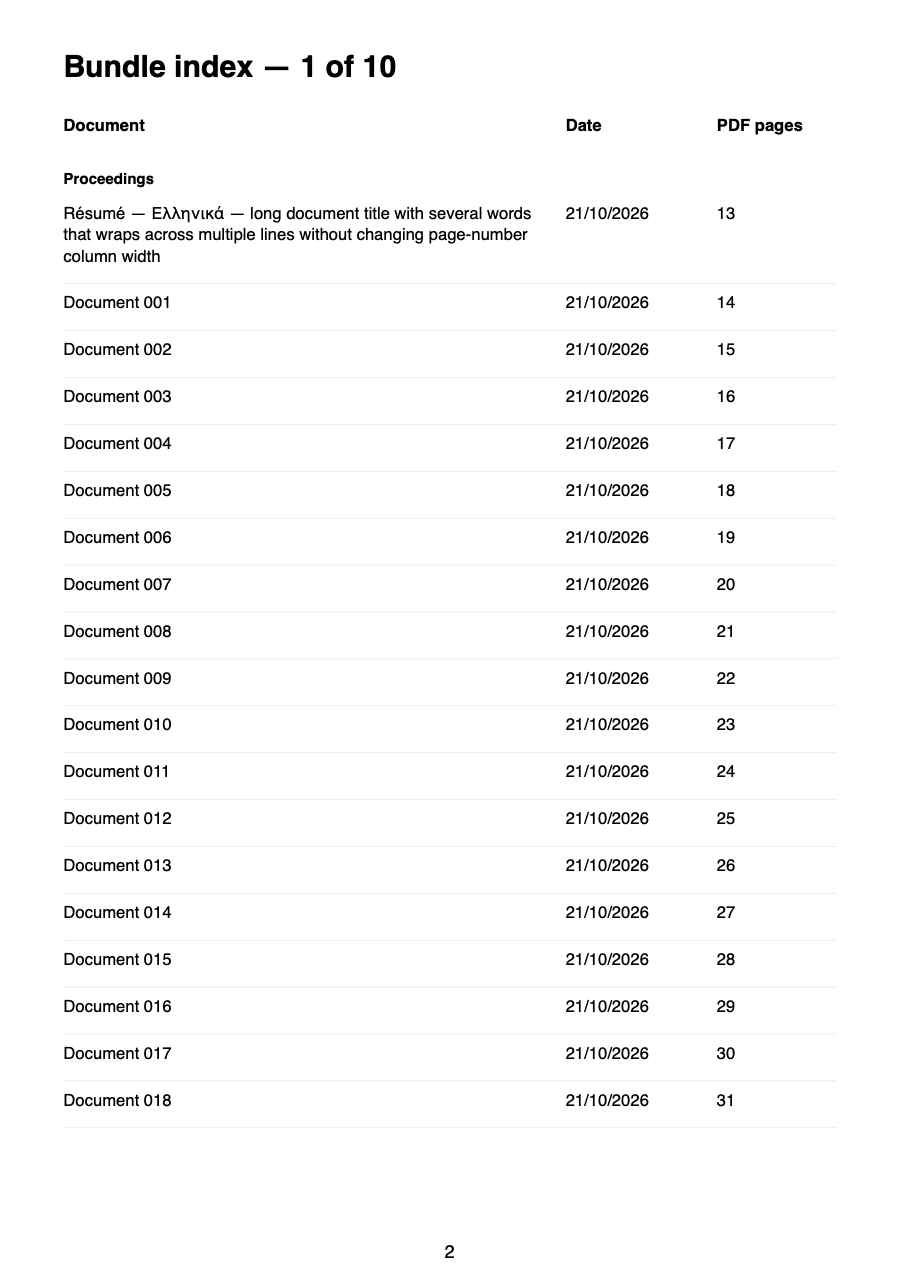
Images are from development builds and synthetic test documents. The interface may change before release.
Bundle King is taking shape. A public download will be available here when it’s ready.
A universal Intel and Apple Silicon build is in development. Supported macOS versions and installation details will be confirmed with the first public release.
Built with care. Released when ready.A little more detail about
working with Bundle King.
A public release is in preparation. The download link, version, installation instructions and supported macOS versions will appear here once a release has been verified and approved.
The planned installer is a Mac disk image (DMG). Open the approved download, drag Bundle King into Applications and launch it from there. Public signing, notarisation and clean-machine installation checks must be completed before release; no development installer is offered here.
The core workflow supports PDF documents and JPEG, PNG and TIFF images. Password-protected PDFs are rejected. The development app also supports UTF-8 text; an optional DOCX conversion adapter requires a separate LibreOffice installation and is still awaiting rendering verification.
Yes. Bundle King saves work in a .bundleking project package, including copies of imported originals. Changes save automatically, and the Save command waits for saving to finish. Keep the complete project package together when moving or backing up your work.
Included documents are combined into a single PDF with continuous page numbering. Optional export settings add a linked index, hierarchical bookmarks, a cover and section dividers. Generated pages count in the physical page numbering. Review the exported PDF before sharing it.
The core document workflow runs locally. The app does not upload documents or use analytics or AI document processing. A project saved in an iCloud, Dropbox or other synced folder may still sync through that service’s settings.
A universal build for Intel and Apple Silicon exists. The development build targets macOS 14, but testing on macOS 14 and Apple Silicon is still outstanding. Confirmed public compatibility details will be listed with the first approved release.